app store mcp · ai agent
Connect your AI agent to your App Store data.
Add AppSigma's App Store MCP server to Claude, ChatGPT, Claude Code or Cursor in two minutes. Your agent then reads your keywords, positions, competitors and reviews, and tells you what to change to climb.
Free account, no card. Already have one? Sign in
Skip to the setup ↓vibe-coded your app?
Then you already build with an AI agent. Give it your App Store data too: it finds the keywords you can win and rewrites your name and subtitle for them, right next to your code.
> Find the keywords I can win and rewrite my App Store subtitle with them.
Just exploring? Try it without an account:
$ claude mcp add --transport http appsigma \
    https://api.appsigma.io/mcp \
    --header "X-API-Key: demo"
$ claude mcp add \
   --transport http appsigma \
   https://api.appsigma.io/mcp \
   --header "X-API-Key: demo"
Paste it and ask away — the demo key works without an account on sample apps and charts. For the full App Store, drop the --header and your client will ask you to sign in to AppSigma.
Sent! Check your inbox when you're back at your desk.
On your phone? Email yourself the setup:
step 1
Connect
Add both servers: the first works with your apps, the second with any app in the store, which is how the agent reads your competitors' reviews.
In claude.ai or Claude Desktop open Settings → Connectors → Add custom connector, paste a URL, then press Connect and approve. Repeat for the second URL.
Your apps
Your tracked apps, keywords, positions, competitors, store activity and review insights. The agent can also track apps and add keywords. No credits: your plan limits apply.
https://appsigma.io/mcp
The whole App Store
Reviews, charts, metadata and prices of any app, including competitors you do not track. Billed in credits, the first 1,000 are free.
https://api.appsigma.io/mcp
In ChatGPT add a custom connector (Settings → Apps & Connectors, developer mode on), paste a URL and choose OAuth. ChatGPT opens AppSigma for you to approve.
Your apps
Your tracked apps, keywords, positions, competitors, store activity and review insights. The agent can also track apps and add keywords. No credits: your plan limits apply.
https://appsigma.io/mcp
The whole App Store
Reviews, charts, metadata and prices of any app, including competitors you do not track. Billed in credits, the first 1,000 are free.
https://api.appsigma.io/mcp
Run both commands, then /mcp in Claude Code and pick a server to sign in.
Your apps
Your tracked apps, keywords, positions, competitors, store activity and review insights. The agent can also track apps and add keywords. No credits: your plan limits apply.
claude mcp add --transport http appsigma-account https://appsigma.io/mcp
The whole App Store
Reviews, charts, metadata and prices of any app, including competitors you do not track. Billed in credits, the first 1,000 are free.
claude mcp add --transport http appsigma https://api.appsigma.io/mcp
Paste this into your client's MCP config (Cursor: Settings → MCP → Add new server). The client asks you to sign in on first use.
{
    "mcpServers": {
        "appsigma-account": {
            "type": "http",
            "url": "https://appsigma.io/mcp"
        },
        "appsigma": {
            "type": "http",
            "url": "https://api.appsigma.io/mcp"
        }
    }
}
No AppSigma account yet?
When you approve the connection, your client opens AppSigma and you can sign up right there with your email. Or create the account first and come back to this page signed in.
Create a free accountstep 2
Ask
Start with one of these. Your agent picks the tools and does the digging.
Pick better keywords
“Which keywords am I closest to the top 10 for, and which should I add?”
Follow the moves
“What moved this week?”
Measure the gap
“How far behind my competitors am I?”
Find competitors' weak spots
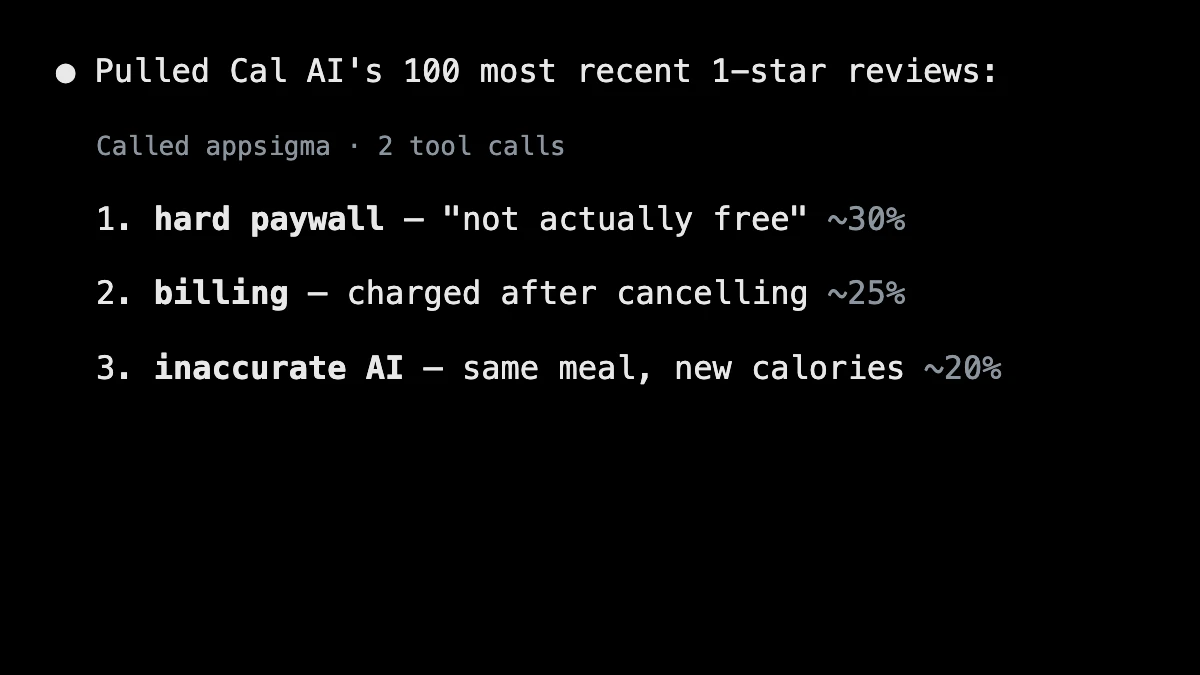
“What do the 1-star reviews of my competitor complain about?”
real.sessions
See it in action
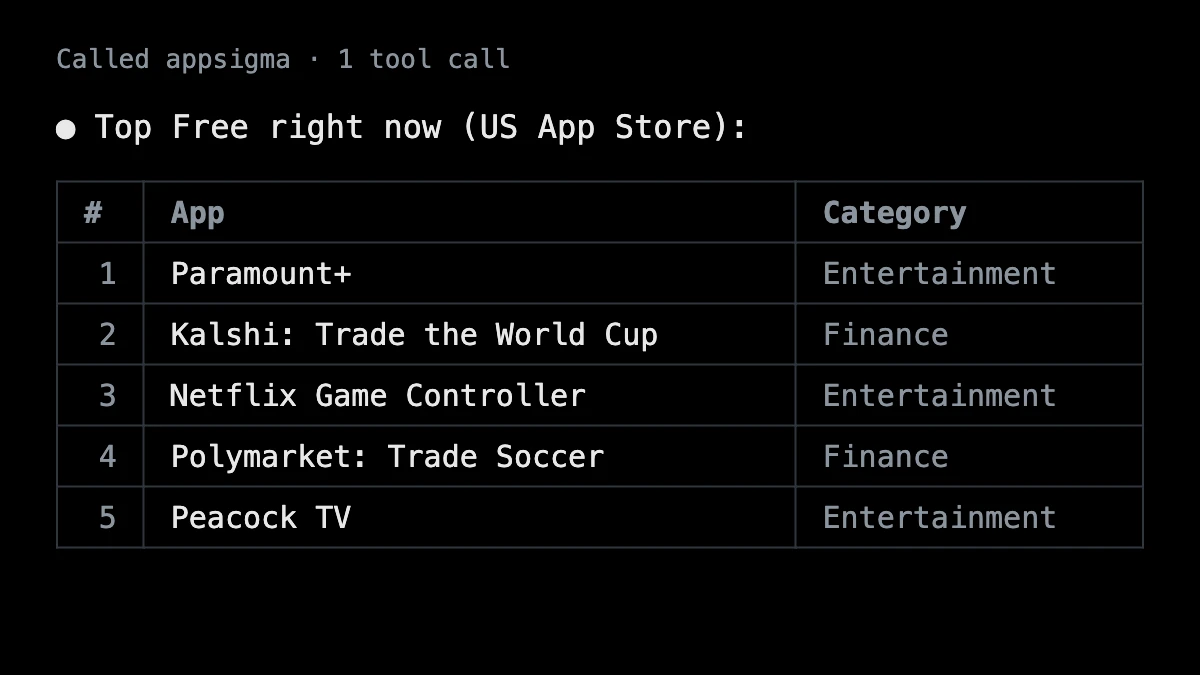
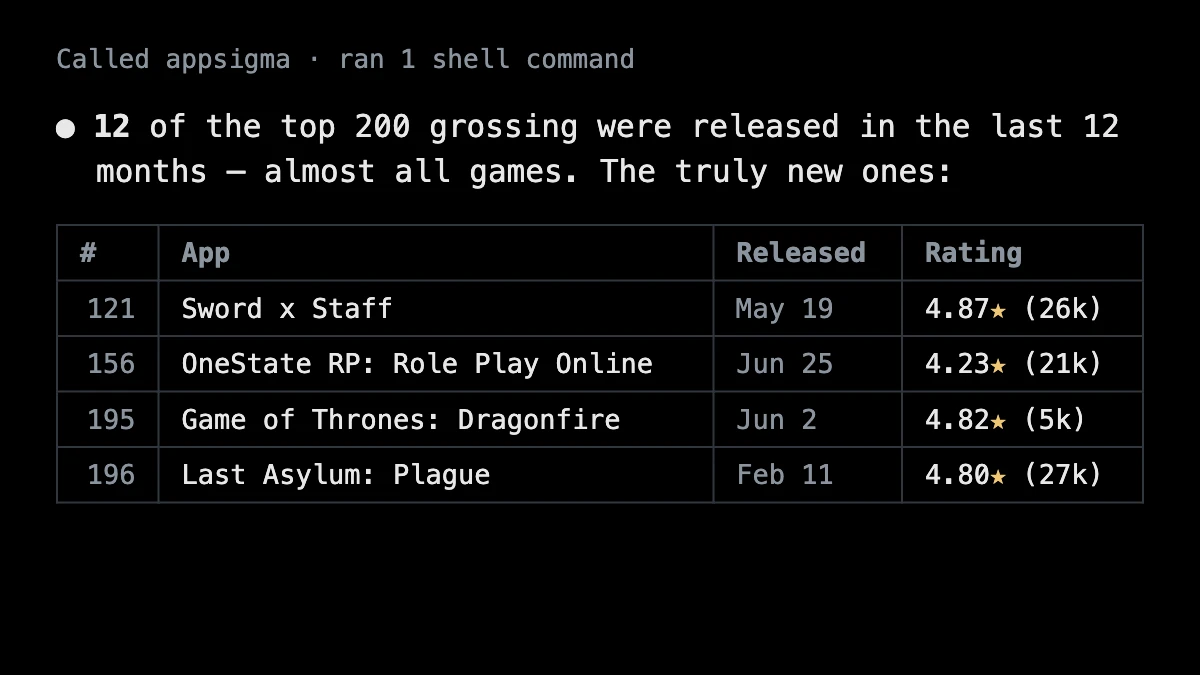
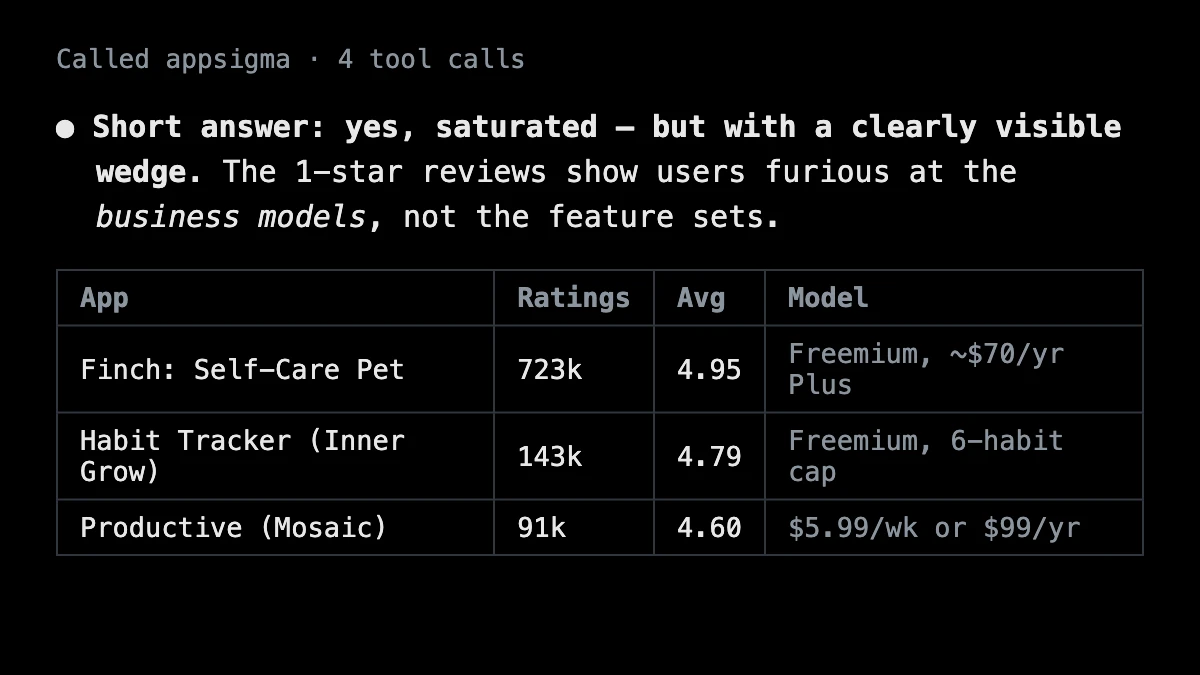
From real Claude Code sessions using the AppSigma MCP server — one plain-English prompt in, App Store answers out.
two.servers
Your apps, and the whole App Store.
One sign-in, two MCP servers. Add both and your agent picks the right one for each question.
appsigma.io/mcp
Your apps
Track apps, add and remove keywords, see position changes, manage competitors, read store activity and review insights. No credits: your plan limits apply, the same as in the app, and the free plan works too. You approve one organization for each connection.
> Which of my keywords are closest to the top 10, and which new ones should I track?
api.appsigma.io/mcp
The whole App Store, 22 tools
Every endpoint of our App Store API as an MCP tool: app search and metadata, version history and in-app purchases, reviews and ratings across countries, chart positions and history, price history, developer portfolios and in-app events. Billed in credits like the REST endpoints, one credit per row; new accounts get 1,000 free. See the plans.
> What do the 1-star reviews of my top 3 competitors complain about?
Create your account, then connect.
Free account, no card. Already have one? Sign in